Parasitic bots scrape pages, try passwords and send flood or DDoS traffic. Work through the controls in this order. Anti-bot mode checks the browser. CAPTCHA is a further check on the URLs you choose. MLC detects brute-force, flood, DDoS and web scraping, and a rate limit puts the source address on the temporary block list. A blocking rule then stops the pattern those records share.
¶ Anti-bot mode
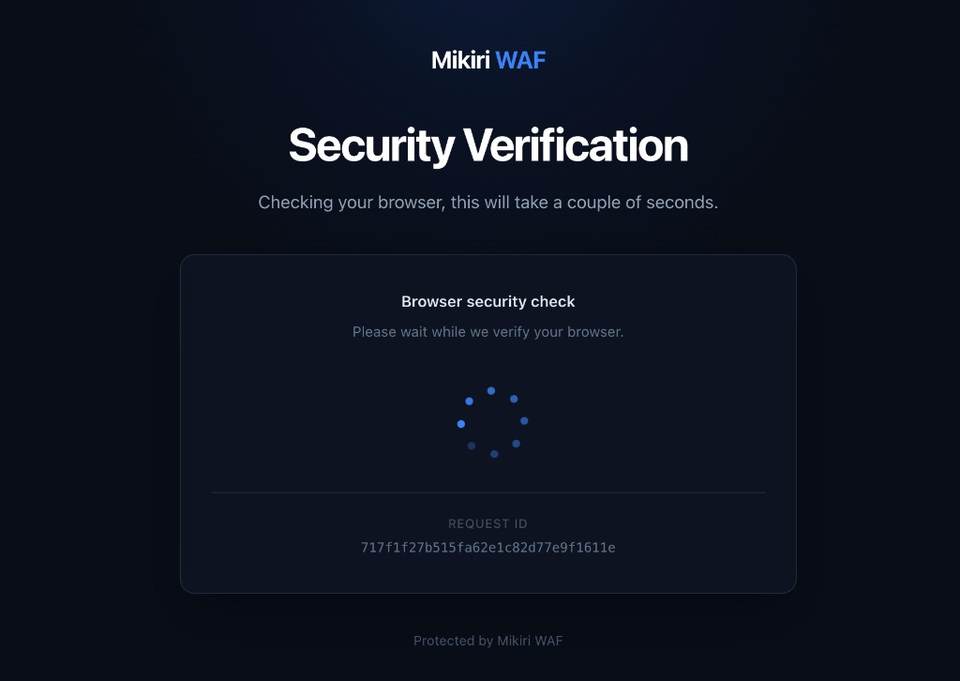
Anti-bot mode returns antibot.html before the requested page. The page is in /etc/nginx/mikiri-waf/html. The browser runs JavaScript that reads hardware and browser details, such as the number of CPU cores and the screen size. A client such as cURL cannot complete the page. Leave API hosts off this list. Mention the check in the privacy policy for visitors.
On Antibot, open the Antibot tab. Under Activation, add the URLs to Activate mode for URL. A value is a domain, a domain with a port and a path, or a mask.
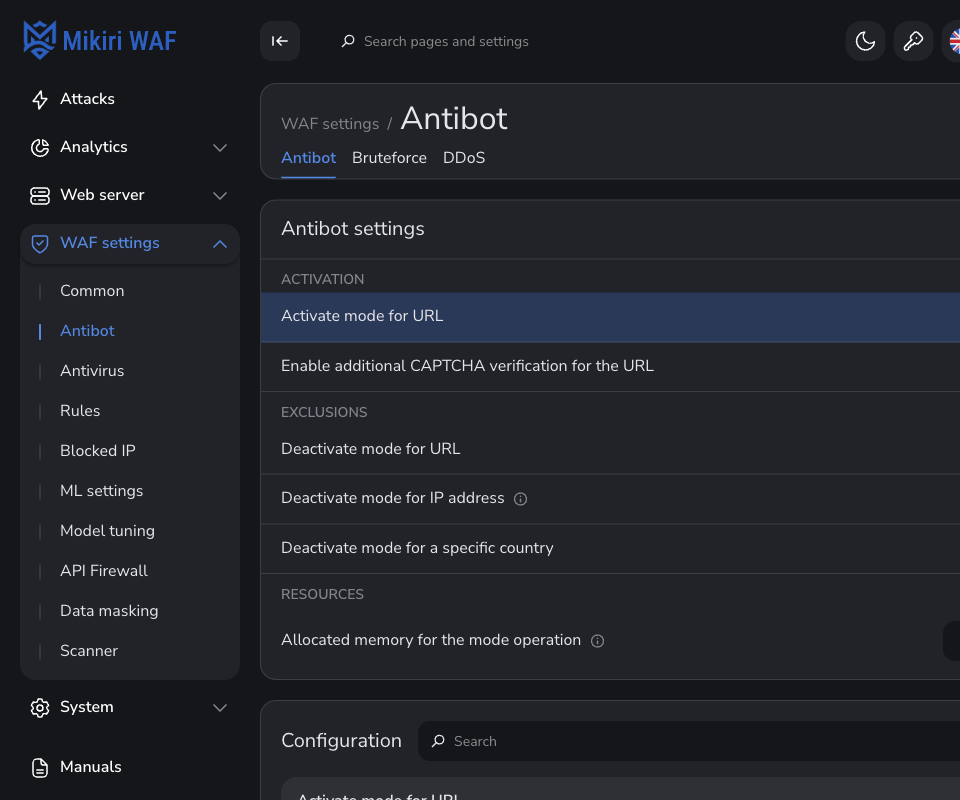
Under Exclusions, Deactivate mode for URL, Deactivate mode for IP address and Deactivate mode for a specific country leave those requests out of the check. A country value is a two-letter code.
An address that passes stays verified for 24 hours. The list is shared by the Filters of the cluster. The page text and the JavaScript limit are in Anti-bot mode.
¶ CAPTCHA after the anti-bot page
Two settings have to be in place. The CAPTCHA application has an address, and the URLs that should ask for it are listed separately.
On Antibot → Bot detection, open Interaction with CAPTCHA.
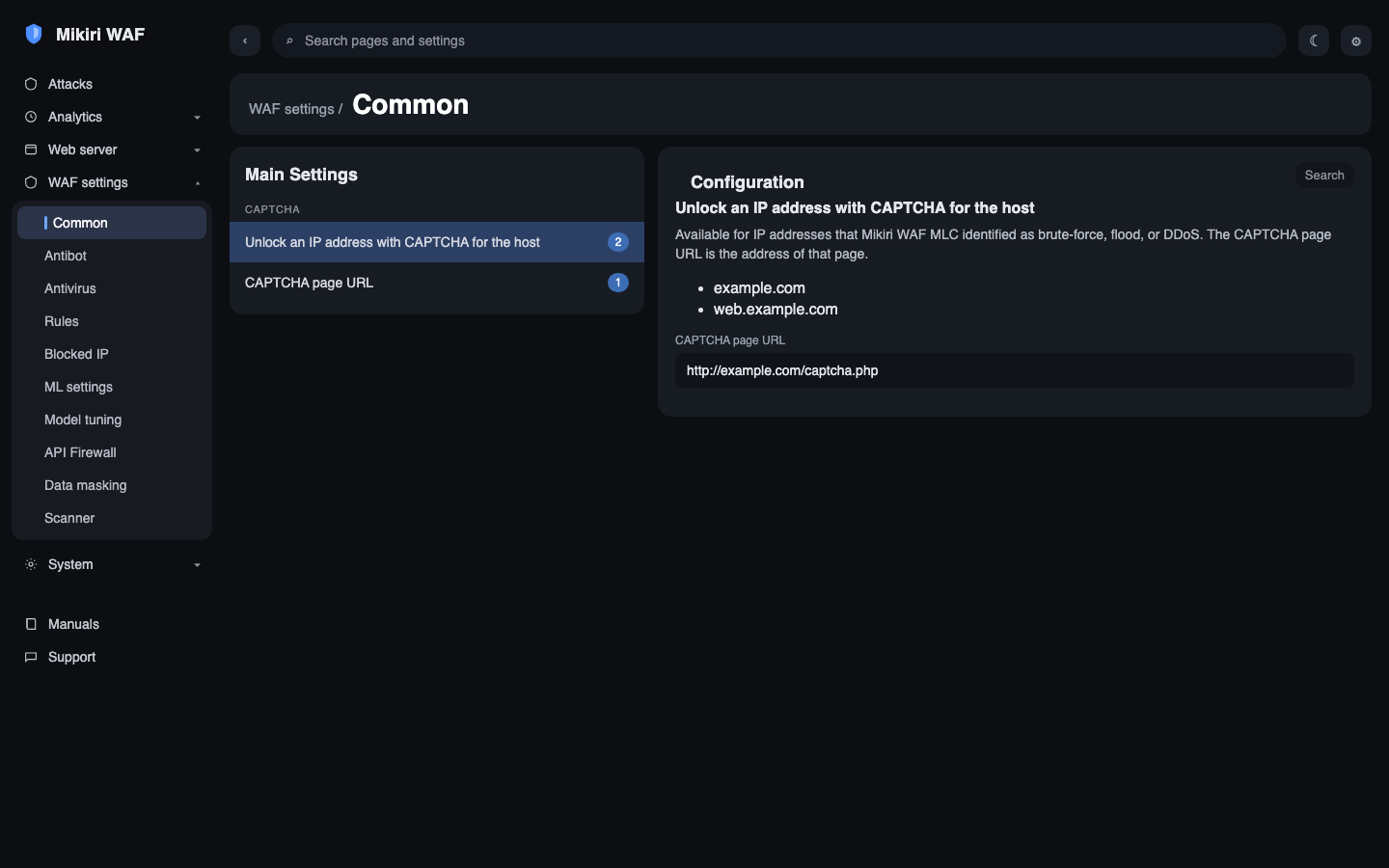
- CAPTCHA page URL is the address of Mikiri WAF CAPTCHA or of another application that answers with
x-waf-captcha-challenge. The picture below shows that field and the host list. - Activate CAPTCHA unblocking for the host lists the virtual hosts whose visitors may unblock an address this way.
*covers every domain.
On the Antibot tab, Enable additional CAPTCHA verification for the URL is the extra check after antibot.html. Put a URL here only when the same URL is already in Activate mode for URL. After the visitor passes the anti-bot page, that URL is forwarded to the CAPTCHA application until this address passes the CAPTCHA.
A passed CAPTCHA marks the address as verified for anti-bot mode. The mark is kept for 24 hours and is synchronized between the Filter nodes of the cluster. Installing the application and the exchange are in Integrating with CAPTCHA.
¶ Brute-force, flood, DDoS and web scraping
MLC detects these from the traffic Filter sends over RabbitMQ. The records are on Attacks. Brute-force is blocking type 7, flood is 9, DDoS and web scraping are 10. The description on a type 10 record is DDoS or Web scraping. The types are in Request processing statuses.
Open Antibot → Bot detection. The heading is Detection of brute-force, flood, DDoS and web scraping.
Brute-force and flood starts with Activation of brute-force and flood attack detection. Add a rule counts requests to one URL. Detection mode is Brute-force or Flood. One mode is active on a rule. Analysed zones are query, body, or both. Additional condition names the arguments or body fields that have to be present. Analysis interval is the window in seconds. Requests needed to trigger is how many requests in that window count as an attack.
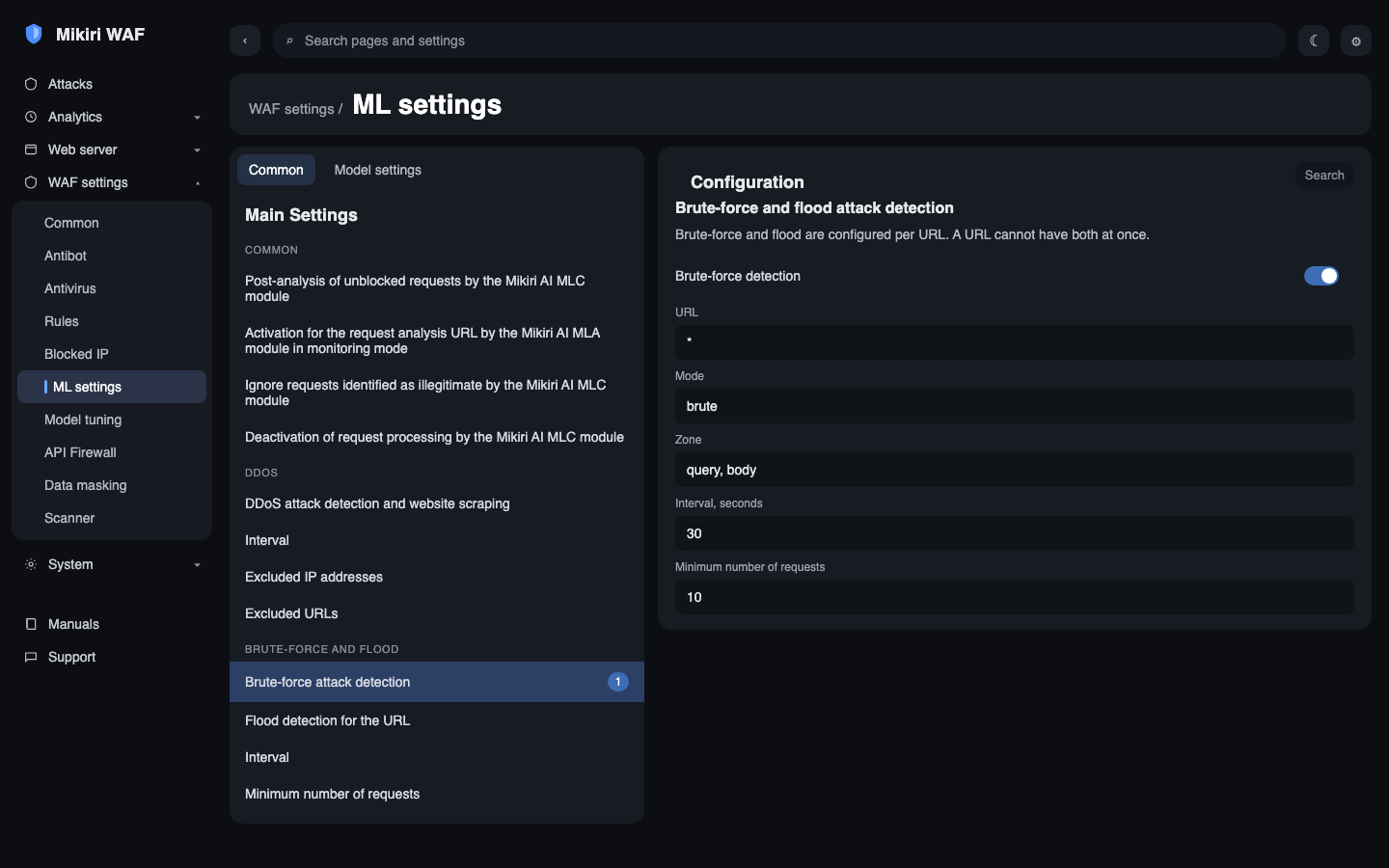
DDoS and web scraping starts with Activation of DDoS and Web scraping attack detection. Analysis interval is the window. Exclude IP address from analysis and Exclude URL from analysis leave those requests out. A domain alone excludes every request to that domain.
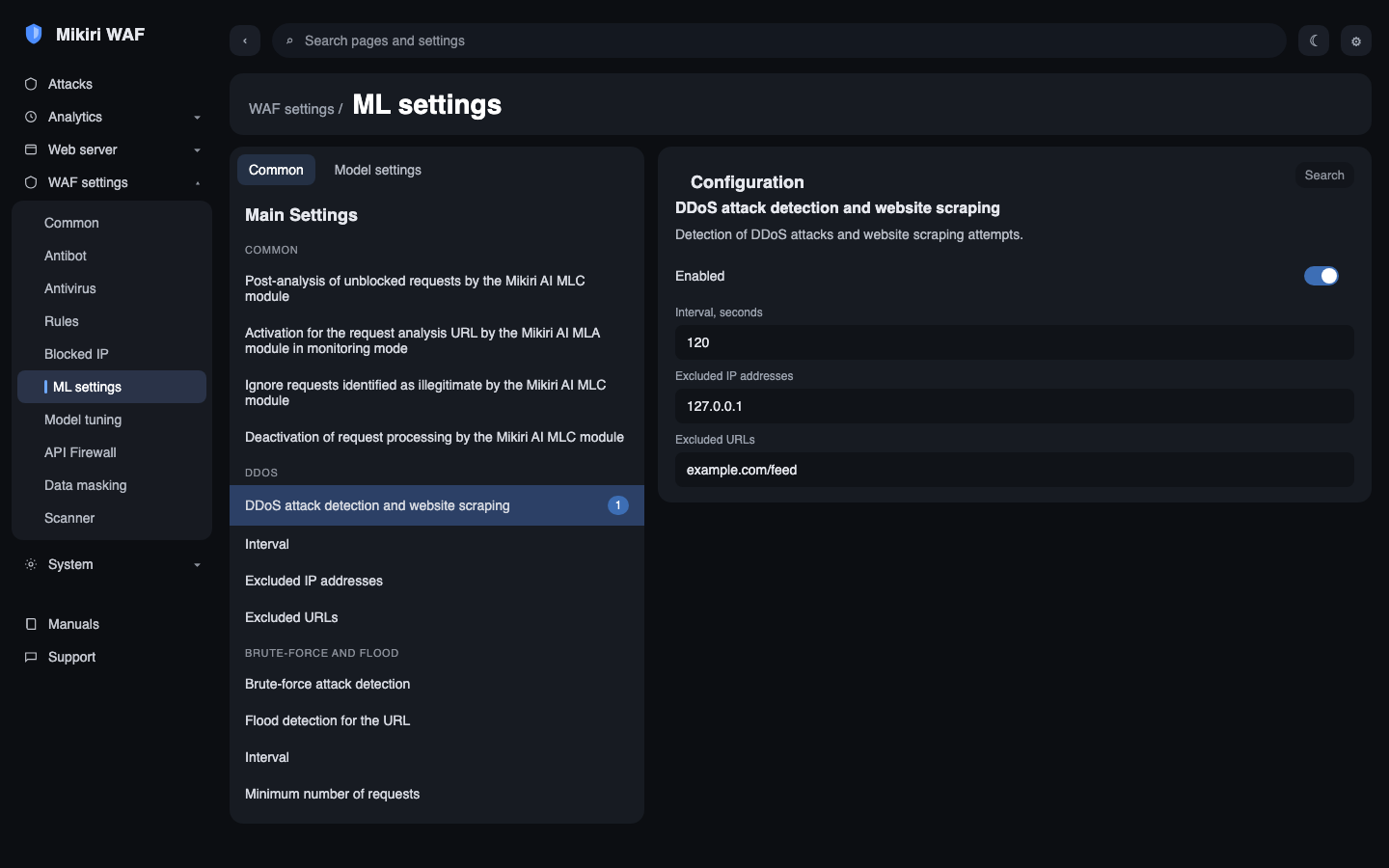
Detection mode for the domain, on either group, keeps the detection running and leaves the request unblocked. MLC records the event. The source address is placed on the temporary block list when the rate limit covers the host.
¶ Blocking the address
Rate limit of blocked requests is the first group on Bot detection. The same limit is under General on Common. Add a limit sets three fields:
- Host. A name limits that virtual host. An empty host applies the limit to every host that has no limit of its own.
*does the same. One list cannot contain both an empty host and*. A named host overrides the empty one. - Rate. How many blocked requests trigger the ban, per second or per minute.
- Block for. How long the source address stays on the temporary list.
For brute-force, flood, DDoS and web scraping, Rate is not used. The address is blocked on the first detection, for the time in Block for. When no limit covers the host, the detection stays on the attacks page and the address stays off Blocked IP → Temporary blocked. That list is described in Blocked IP.
¶ A blocking rule from the records
On Attacks, open the brute-force, flood, DDoS and web scraping records for one host. Read the country, the query or the body, and the User-Agent. A repeated pattern is one country, one string in the query or the body, and one agent. Catalog scraping often repeats a pagination query such as page= and a library agent such as python-requests. Password guessing often repeats a body field such as password and the same agent. Copy the strings from the records of this host.
Open Rules → Request processing rules. Leave the type on Blocking rule and choose Add rule. The dialog opens on the Blocking rule tab. host is already on the form. The add control beside Conditions adds Country, Query, and User-Agent. Every filled condition has to match. Another value on the same field is an alternative, joined with OR.
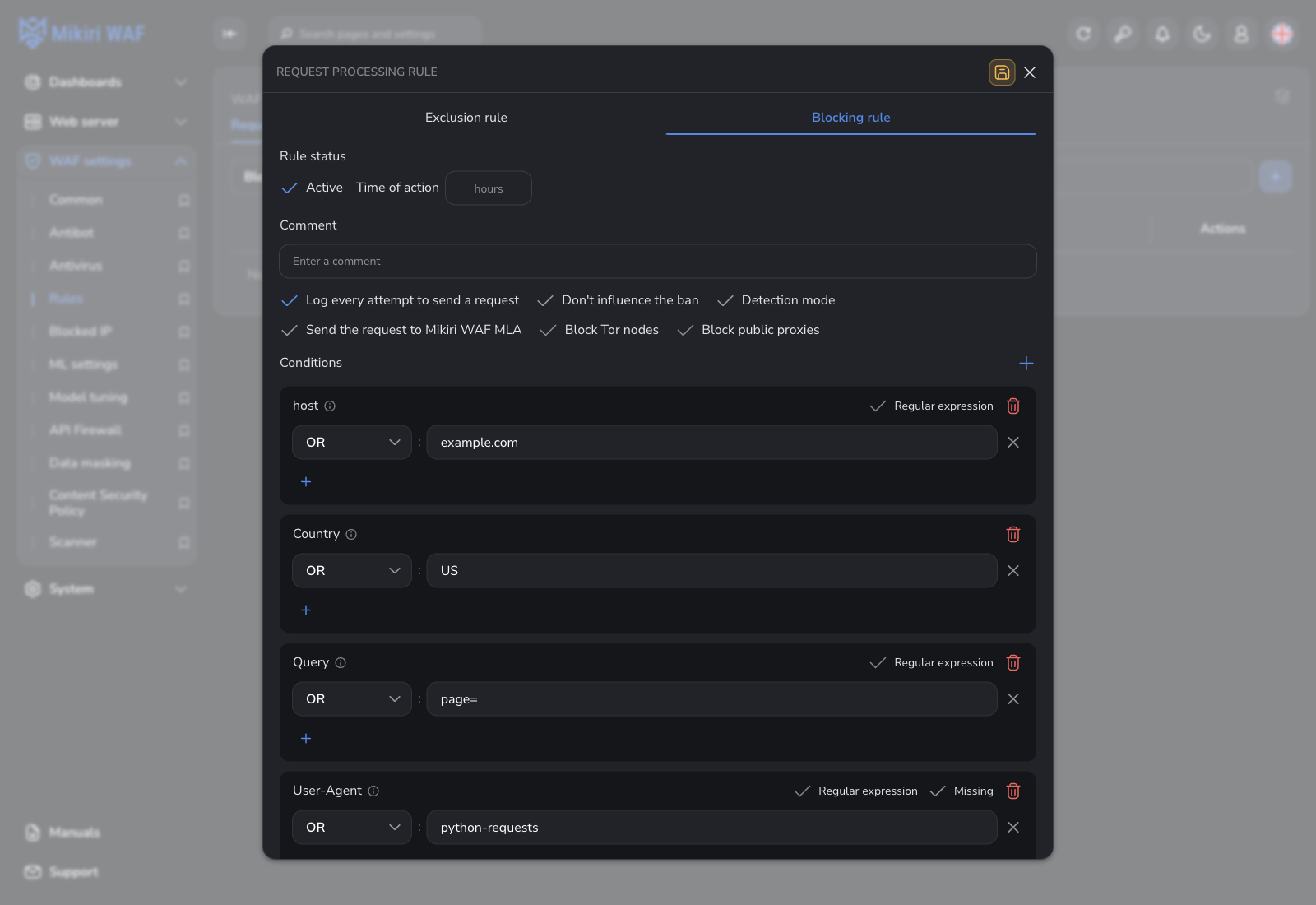
The picture is that pattern for example.com: country US, query page=, and user-agent python-requests. Detection mode is off, so a match is blocked. When the repeated string is in the body, add Body instead of Query. For password guessing that value is password.
Turn Detection mode on until the attacks page shows that the rule matches the bot traffic. A match is recorded and the request stays unblocked. Turn it off again when the pattern is right. Each condition has a short description on the info mark beside its name. The same fields are listed in Request processing rules.