Do this after the site is placed inline or on a traffic copy. The place of this page in the guide is Getting started.
¶ Activating AI protection
¶ Behavioral patterns
Before creating a behavioral model, as well as in case of problems related to request processing by the machine module, study the relevant section of the manual.
To create a behavioral model, follow these steps:
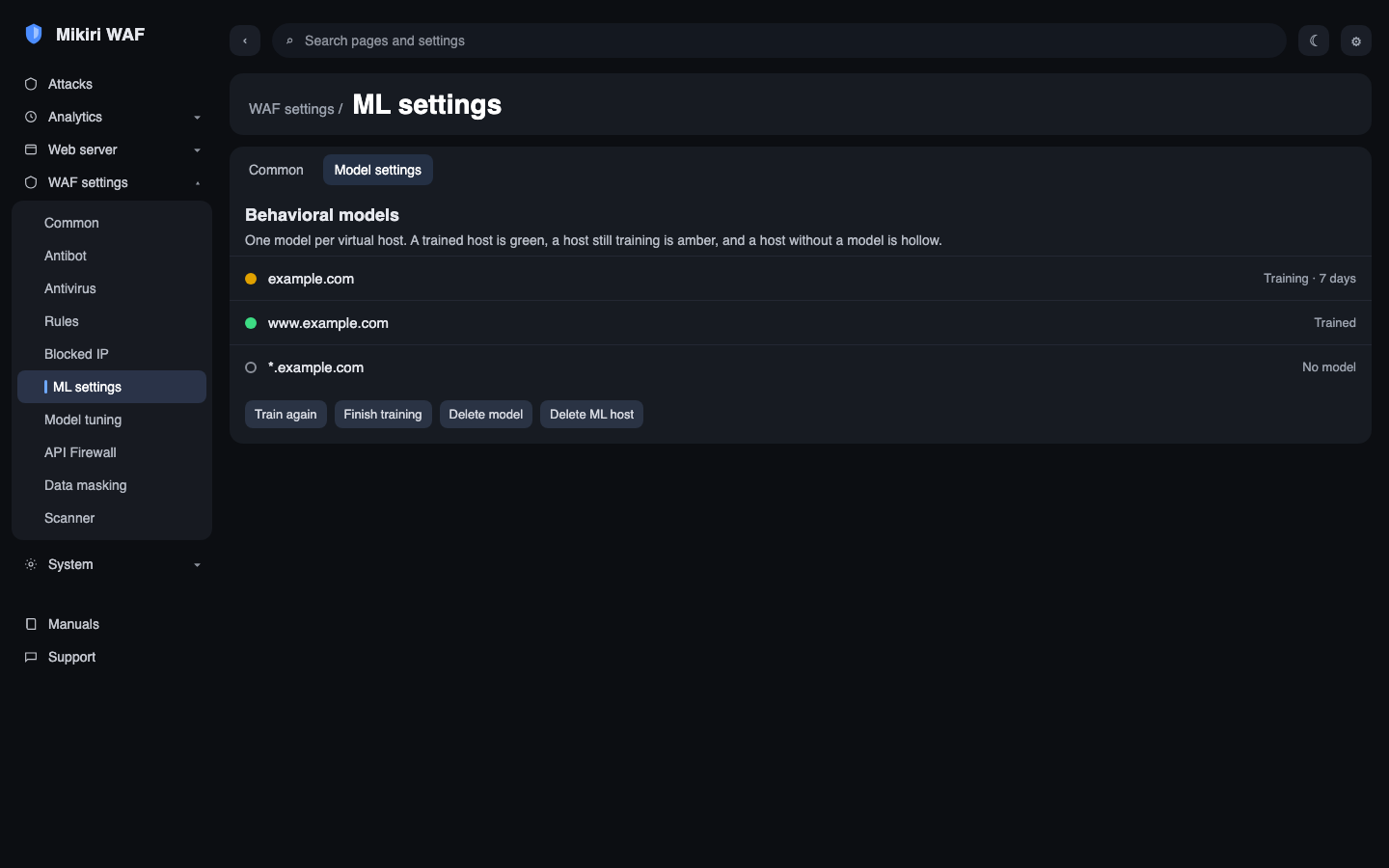
- Request analysis by the machine learning module is activated automatically after creating a behavioral model for the protected web application. To start the learning process, set in WMC a list of domains for which a behavioral model will be created and applied:
It is recommended to test the quality of the machine learning module only after completing the training of the behavioral model and activating the automatic blocking of IP addresses of sources of illegitimate requests.
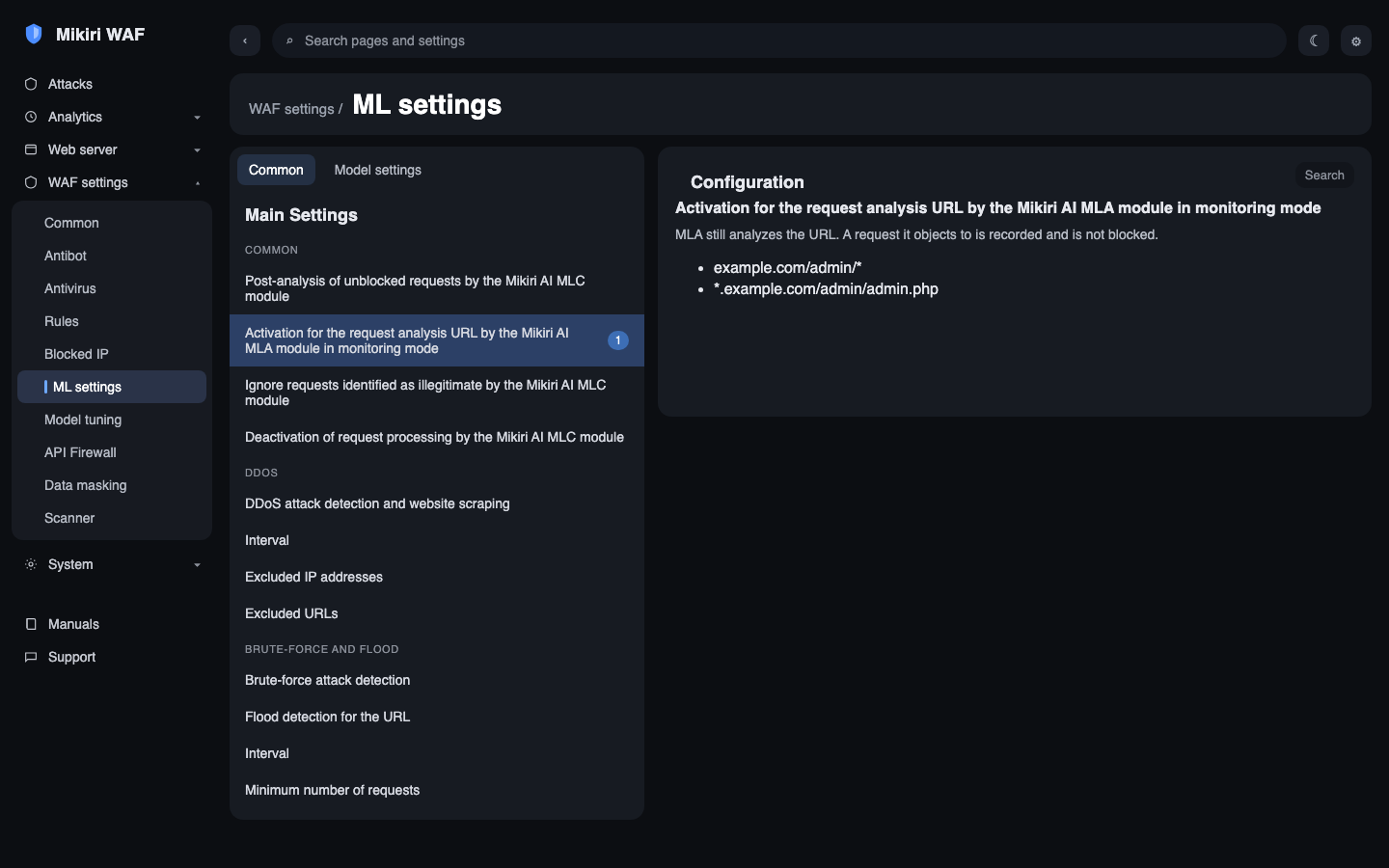
- Switch the request processing mode by the machine learning module to detection mode by activating the option "Activate detection mode for analyzing requests identified by the MLA module as illegitimate" in the Filter settings management section in WMC:
-
Monitor the load on the MLA agent on the Filter by tracking the number of requests sent to this agent for additional analysis.
-
After completing the training of the model, make sure that there are no false positive request blocks by the machine learning module and, if there are none, deactivate the detection mode for the machine learning module. While that option stays on, requests that MLA marks as illegitimate are only recorded and are not blocked.
If false positive blocks of legitimate requests appear after applying the behavioral model, then follow the recommendations from the relevant section of the KB.
¶ Activation of detection of brute-force, flood DDoS attacks
To activate the mechanism for detecting brute-force, flood DDoS attacks, follow these steps in WMC:
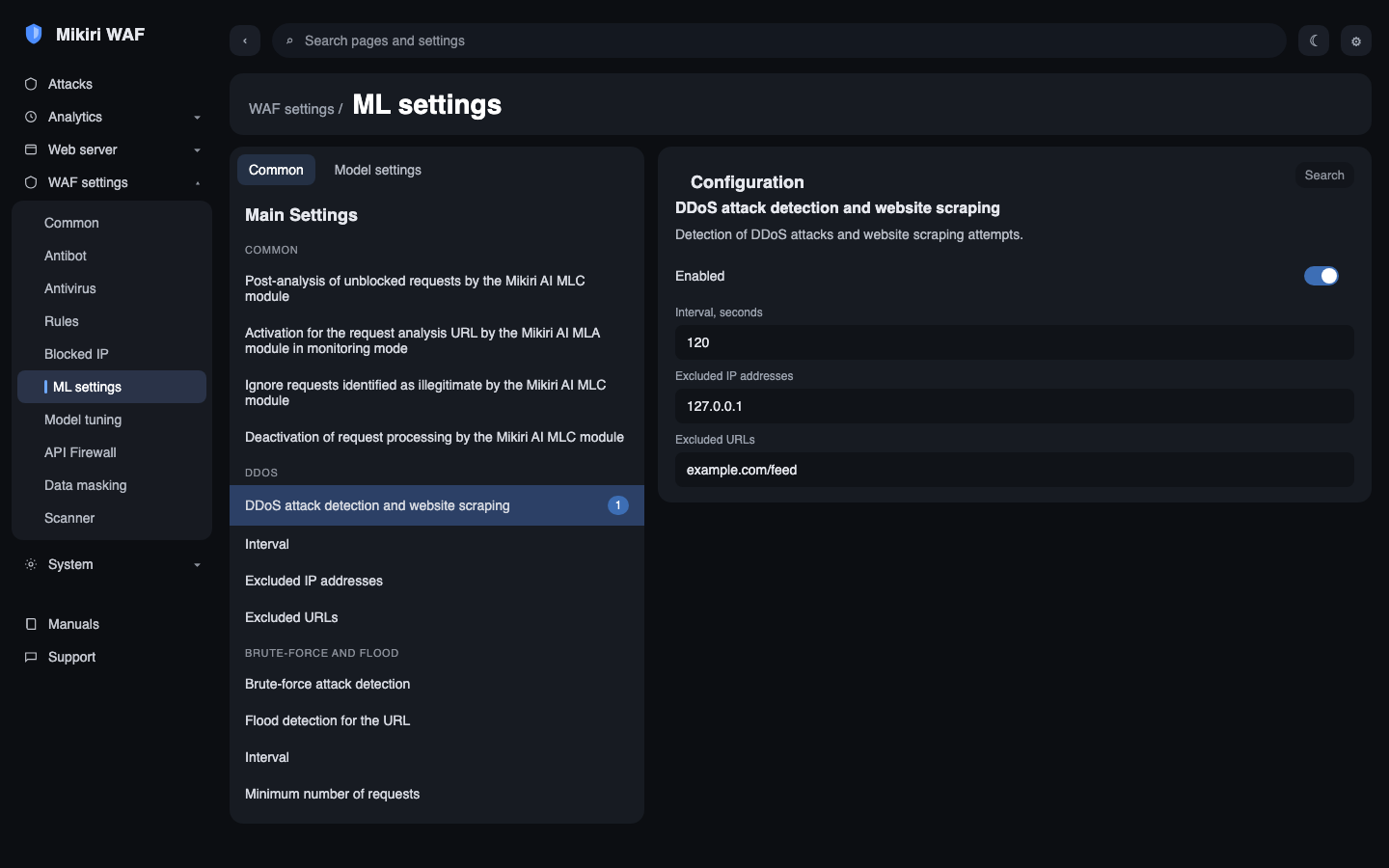
- Activate DDoS detection and site parsing parameters:
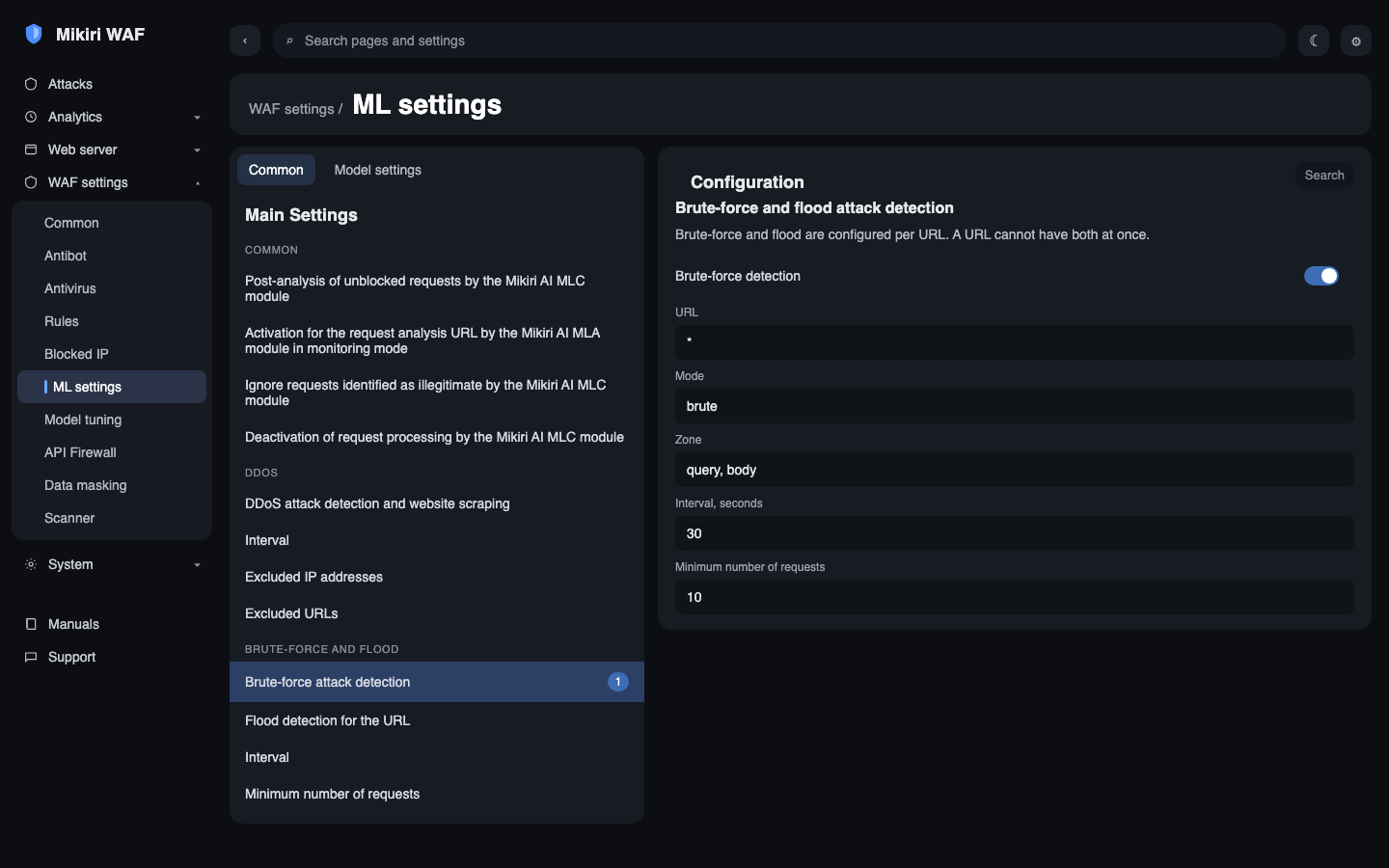
- Activate the parameters for detecting brute-force and flood attacks: